
Kling O3 Pro AI Video Generator
Kling O3 Pro is Kuaishou’s Omni video model: it can lock character and scene identity from stills and one optional motion clip, write optional native sound in the same pass, and animate start to end frames with physics-aware motion.
What is Kling O3 Pro
Kling O3 Pro is Kuaishou’s flagship O3 Omni video model (Kling Video O3 Pro) that generates clips from a text prompt, a start-frame image, or character and scene references. It uses MVL (Multi-modal Visual Language) and optional synchronized sound.
Omni stills plus one clip
Up to 7 reference images, or 4 stills plus one motion video. Mention them as Figure 1.
Optional native sound
Kling O3 Pro can write synchronized audio with the picture, or keep a reference clip's soundtrack.
Start and end frames
Image-to-video can lock the opening still and an optional closing still.
Physics-aware motion
Issuer docs describe fluid, fabric, hair, and object interactions that follow real-world dynamics.
16:9, 9:16, and 1:1
T2V and Omni match YouTube, Shorts/Reels, and square feeds. I2V follows the still.
3 to 15 seconds on Omni
Reference-to-video and the O3 Pro launch blog use that window. CamArt picker is 3 to 15 seconds. T2V/I2V playground currently lists 5s and 10s.
Examples of Kling O3 Pro from X
Community clips on X made with Kling O3 Pro and Kling 3.0 Omni. Copy a prompt and try it in the editor.
-
VFX & Surreal
Speedster Saves the City
PROMPTimage1 A young male speedster with super-speed abilities, presenting a confident, agile, and powerfully imposing presence. focused and calm facial expression. Face based on the uploaded reference (@Image1), perfectly matched with no beautification. ________________________________________ Environment: A devastated modern urban city under attack by a colossal monster. Buildings are collapsing, infrastructure is destroyed, vehicles are overturned, fire and smoke fill the streets, creating intense chaos. ________________________________________ Time State: Time is abruptly frozen at the peak of destruction. Every person is suspended mid-action: running, screaming, falling. Debris, glass shards, fire sparks, and dust are frozen mid-air. The giant monster is frozen mid-attack, roaring and smashing through buildings. ________________________________________ Main Action: Only the male protagonist retains the ability to move at super speed. He dashes through the frozen city in a full sprint. ________________________________________ Action Sequence: In this time-frozen world, he performs a seamless high-speed sequence. Everything remains completely static except him, who generates motion blur, red and orange lightning energy trails, and particle effects: •He rescues an Woman worker who is frozen mid-stride near collapsing debris, moving her instantly to a safe location. •As vehicles are frozen mid-stride, he dashes into the street and saves a Asian female school, carrying them out of danger. •He makes a sharp turn and briefly pauses near a frozen civilian holding a phone displaying emergency news, quickly analyzing the situation. •He rips out a heavy steel beam from destroyed infrastructure and, using rotational momentum, hurls it directly at the giant monster. ________________________________________ Power Effect: Red and orange lightning-shaped energy trails, strong motion blur, airflow distortion, and dissipating particle afterimages. The environment remains perfectly frozen, enhancing contrast. ________________________________________ Character & Environment Interaction: The entire sequence occurs within approximately 0–1.5 seconds of real-time. Civilians remain frozen mid-motion, debris suspended, fire suspended, vehicles locked in place. ________________________________________ Time Resume Moment: The steel beam violently punches through the monster’s body in a single devastating impact, tearing through its torso and exiting the other side. A shockwave erupts from the point of impact, sending debris flying as the monster lets out a massive roar. Shockwaves spread, debris falls, civilians continue moving, and the rescued characters realize they are suddenly safe. ________________________________________ Cinematography: Dynamic cinematic camera movement with subtle handheld feel, low-angle tracking shots, and high-speed side-follow shots. ________________________________________ Visual Style: Hollywood superhero film aesthetic, realistic lighting and shadows, dramatic color grading, dark and intense atmosphere. ________________________________________ Camera Settings: 35mm cinema lens, shallow depth of field, HDR lighting, realistic lens flare. ________________________________________ Quality & Rendering: Hyper-realistic, 4K cinematic quality, high contrast, rich details, blockbuster-level VFX, cool blue tone.
-
Cinematic
Orange Car Explosion Chase
PROMPTAn explosive, hyper-realistic cinematic shot. A sleek, orange sports car, its headlights glowing brightly, speeds down a narrow city street. A massive explosion erupts just behind the car, sending fiery debris and sharp fragments of glass and concrete flying into the air. A military helicopter hovers ominously above the scene, its rotors kicking up dust. The camera is positioned low and to the side, tracking the car as it hurtles through the chaotic scene. The shot is filled with dynamic motion blur and incredible detail, from the flames licking the side of the car to the terrified expressions on the faces of distant civilians. The lighting is harsh and dramatic, a mix of the bright sunlight and the intense glow of the explosion.", "duration_seconds": 8, "seed_image_description": "A low-angle shot of a bright orange sports car speeding down a city street. A large explosion is happening behind the car, and a helicopter is flying overhead. Debris is flying everywhere. The buildings are tall and modern, with many windows. The lighting is bright and dramatic.", "camera": { "movement": "Dynamic and fast-paced tracking shot from a low, side-angle perspective. The camera moves in perfect sync with the car, with a subtle side-to-side drift to enhance the feeling of speed and chaos.", "focus": "Deep focus on the car, the explosion, and the flying debris. The distant buildings are in a slightly softer focus to emphasize the action in the foreground.", "lens_flare": "Intense, glowing lens flare and heat distortion from the fiery explosion." }, "lighting": { "type": "Harsh and high-contrast lighting", "source": "A bright, overhead sun, combined with the intense, orange light from the explosion. The light from the explosion pulses and flickers.", "effects": "The air is thick with a reddish-orange glow. The light creates long, dramatic shadows and harsh highlights on the car and the buildings." }, "environment": { "cityscape": "A dense, urban cityscape with tall, modern skyscrapers. The windows of the buildings reflect the fire and the explosions. The road is a cracked and broken asphalt, with a clear yellow line down the middle.", "atmosphere": "The air is thick with smoke, dust, and debris. The feeling is one of panic and a high-stakes chase.", "details": "The fine spray of water on the ground from a recent downpour. The flying debris includes concrete chunks, rebar, glass, and metal shards." }, "subject": "Orange Sports Car", "size": "A normal-sized car, but its sleek design makes it look powerful and fast.", "appearance": "The car's metallic paint is a vibrant orange, with a glossy finish that reflects the fire and light. The headlights are bright and powerful. Its tires are large and gripping the road.", "action": "Hurtling forward at high speed, its wheels are visibly spinning, and its body is leaning into the turn." }, "secondary_subjects":"Military Helicopter", "state": "Hovering menacingly, its rotors turning rapidly.", "details": "The helicopter is a powerful, modern design, with realistic detail on its body and rotors. It is a dark, intimidating gray color.", "action": "Hovering in place, its rotors kicking up dust and debris from the street." } ] }, "action": { "main_event": "A fast-paced, high-stakes car chase and explosion.", "details": "The sound of the engine roaring. The whoosh of the wind. The deafening roar of the explosion. The breaking of glass and concrete." }, "style": { "realism": "Extreme hyper-realism, photorealistic detail, 8K resolution.", "mood": "Action-packed, intense, and thrilling." }, "sound": "The loud, powerful roar of the explosion, followed by the deep rumble of the car's engine.
-
Food & Cooking
Japanese Tonic Summer Spot
PROMPTTheme: [JAPANESE TONIC WATER TV COMMERCIAL]. All 9 frames must strictly revolve around this specific storyline (A young person finding refreshment after sports) to ensure narrative continuity and emotional connection between shots. The central element is the drink, but it is implied rather than explicit in its branding. Subject & Style: A 3x3 storyboard grid based on the provided character's face. Japanese cinematic and high-end commercial aesthetic. Bright, daytime setting with clear blue skies and natural sunlight. Shot on ARRI Alexa, 4k. The atmosphere is nostalgic yet full of energy, evoking a classic Japanese summer (青春, seishun). Critical Constraint: Text Elimination & Aesthetic Pureness: Bottle Branding: Any beverage bottles depicted must feature NO LATIN SCRIPT TEXT (no "POCARI" or "POCARI SWEAT"). If text is required on the label, it must be rendered in authentic JAPANESE KATAKANA AND KANJI (e.g., stylized text for "ポカリスエット" or generic tonic descriptions), resembling traditional Japanese packaging. Frame Typography: Every single individual 16:9 frame within the grid must be COMPLETELY DEVOID OF ANY OVERLAID TEXT, LOGOS, SUBTITLES, OR JAPANESE TYPE. Overall Grid Typography: The entire 3x3 storyboard grid image itself must contain ZERO ADDITIONAL TEXT, PAGE NUMBERS, OR SEQUENCE INDICATORS (1, 2, 3...). The layout must remain perfectly clean, composed only of the 9 visual panels. Storyboarding Logic: Arrange the nine 16:9 frames in a logical narrative sequence (Introduction -> Development -> Climax -> Conclusion). The images should tell a coherent story (e.g., Running -> Tired in sun -> Drinking -> Smiling) through a mix of: Character Beats: Consistent facial features, expressions shifting with the plot. Detail Macros: Close-ups of objects (like a cold, sweating bottle) or textures related to the theme to build atmosphere. Environmental Context: Wide establishing shots and "empty frames" that reinforce the theme's setting. Technical Specs: Overall image ratio 16:9, individual frames 16:9. High-key lighting, soft natural tones, airy atmosphere, low saturation, shallow depth of field. Spatial Coordinates: Accurately identify and extract 9 storyboard panels (Panel 1-9) in order from left-to-right and top-to-bottom. Edge Purification: Strictly remove all external white borders, grid lines, internal gutters, and any panel numbering text. Ensure each exported image is full-bleed with no unwanted artifacts or borders. Composition Integrity: Maintain the original aspect ratio of each individual panel without stretching. If there are slight croppings in the original grid, optimize the framing for visual completeness. Visual Consistency: Reproduce the lighting, color grading, and texture of the original panels with 100% fidelity. Do not apply any additional filters or stylistic changes. video prompt
-
ASMR & Satisfying
Ice Block Hits the Ocean
PROMPTa man in a helicopter pushes a large block of ice out the door into the open ocean. underwater camera captures the impact. 00:00 – a helicopter interior. a man in a red shirt and aviation headset crouches next to a 100-kilogram block of ice. the ocean fills the open door. he pushes. 00:05 – the ice falls. the surface entry is clean: a white plume, a ring of displaced water, foam at the edges. 00:08 – the camera cuts underwater. this is where it gets insane. 00:09 – the ice doesn't just sink. it detonates. a mushroom-shaped plume of dissolved air and ice fragments expands downward. the block tumbles inside a cavitation bubble. light refracts through the bubble wall differently on the top and the bottom. 00:13 – the ice surface fractures on contact with warm seawater. micro-bubbles stream from every crack. the plume color shifts from white to deep blue as dissolved air separates from dissolved ice crystals. 00:17 – the bubble reaches maximum expansion and collapses inward. a secondary shockwave ripples outward through the water column. nobody prompted "thermal shock fracturing." nobody prompted "cavitation bubble." nobody prompted "secondary collapse shockwave." the model understood that 100 kilograms of ice entering warm seawater is not a displacement event. it's a thermodynamic event. one prompt. one model. 20 seconds of underwater physics that a fluid dynamics lab would take a week to simulate. save this one. the benchmark for AI fluid physics just moved.
-
Cinematic
Twin Mountain Rural Valley
PROMPTR U R A L C O R E ☺️😁// Kling 3.0 Omni @Kling_ai Somewhere in Southeast Asia lies a hidden village nestled between Two Beautiful Twin Mountains… known for its breathtaking peaks, golden fields, and a pace of life so slow you can't help but stop and stare at the stunning… landscape. The locals say the valley between the mountains is the most peaceful place on earth. Nature really said 'double blessing' with this view 😌🌾
-
VFX & Surreal
Stolen Supercar Drawbridge
PROMPTTwo women. One stolen supercar. Fifteen seconds to disappear. 🚨 The casino explodes behind them—and the only road out ends at a rising drawbridge. Created with Kling 3.0 Omni by @Kling_ai. Do they reach the ferry… or the water? 👀
Key Features of Kling O3 Pro AI Video Generator
What Kuaishou ships as Kling Video O3 Pro, written as CamArt controls: 1080p-class prompt-to-video, Omni Figure 1 refs, start and end frames, optional native sound, physics-aware motion, and a 3 to 15 second picker.
-
1080p-class prompt-to-video
Issuer docs describe Kling Video O3 Pro as 1080p-class versus Standard 720p. The Pro cards have no resolution picker. CamArt does not ship a dedicated 4K SKU.
-
Omni stills, Figure 1, one clip
Reference-to-video takes up to 7 stills, or 4 stills plus one motion clip. Mention them as Figure 1. CamArt does not collect Kling Elements IDs.
-
Start and end frames
Image-to-video takes a required start still and an optional end still. On CamArt, pick Start-End Frame and upload both.
-
Optional native sound
Kling O3 Pro can write synchronized sound with the picture. On Omni, a reference video keeps that clip's soundtrack. Sound is optional. CamArt credits have no separate sound surcharge today.
-
Physics-aware motion
Issuer docs describe fluid, fabric, hair, and object interactions that follow real-world dynamics. Prompt the action and camera. We do not quote a success percent.
-
3 to 15 seconds, stated honestly
CamArt duration chips are 3 to 15 seconds, default 5 seconds. T2V and I2V playground cards currently list 5 or 10 seconds. Omni follows the 3 to 15 second R2V card.
Name Figure 1, or lock start and end frames.
Kling O3 Pro follows Omni Figure mentions and start-end stills when you keep Omni or Start-End consistent with the assets you attached.
Kling O3 Pro Model Comparison
Kling O3 Pro is the Omni identity lock from up to 7 stills, whereas Seedance 2.5 takes denser Omni, Veo 3.1 stays at 4 to 8 seconds, and Vidu Q3 caps Omni at 4 stills.
| Fact | Kling O3 Pro | Seedance 2.5 | Veo 3.1 | Vidu Q3 |
|---|---|---|---|---|
| Issuer | Kuaishou Kling O3 Pro. Omni Reference line. | ByteDance Seed. 30-second one-take plus dense refs. | Google DeepMind Veo 3.1. | ShengShu Vidu Q3. |
| Best for | Identity-locked Omni clips from stills and one motion clip. | 30-second story takes with dense Omni refs. | Photoreal 4 to 8 second clips with a +7 second extend. | Story clips up to 16 seconds with dialogue and 1 to 4 stills. |
| Strength | Omni lock from up to 7 stills (4 with a ref video). | One-pass audio-video story plus timestamp edit. | Native dialogue, effects, and ambience billed per job. | Native dialogue, effects, and music with Omni 1 to 4 stills. |
| Duration on CamArt | 3 to 15 seconds per Generate job. | 4 to 30 seconds, then multi-round extend. | 4 to 8 seconds, then a +7 second extend SKU. | 2 to 16 seconds per Generate job. |
| Resolution on CamArt | 720p to 4K. | Turbo 720p / 1080p. Standard can pick 4K in the picker. | 720p, 1080p, or 4K. | 720p or 1080p. |
| Native audio | Yes. Native audio plus start-end on O3 Pro. | Yes. Joint picture and sound in one pass. | Yes. Native soundtrack on connected SKUs. | Yes. Native soundtrack on connected SKUs. |
| Modes and refs | Omni up to 7 images (up to 4 with a ref video), optional 1 video, no audio refs. | Omni 30 images / 10 videos / 10 audio, clay-render, Start-End. Timestamp edit on Edit SKUs. | T2V, I2V, Omni 1 to 3 stills, Start-End. | Standard Omni 1 to 4 stills, Start-End. Pro has no Omni. |
| CamArt credits | 11.2 credits per second (56 at 5 seconds). | Turbo is 20 credits per second (100 at 5 seconds 720p). | 320 credits per job on Veo 3.1, not per second. Fast is 120 credits at 8 seconds. | Standard is 15 credits per second (75 at 5 seconds 720p). Pro is 12.5 per second. |
Sources: Kling AI; ByteDance Seedance 2.5; Google Veo 3.1; Vidu Q3.
Why Choose Kling O3 Pro AI Video Generator in CamArt
Choose Kling O3 Pro when the job needs Omni identity lock, optional native sound, and a 3 to 15 second picker you can price before Generate.
Lock character and scene without a second model
Kling O3 Pro is the Omni SKU. Attach up to 7 stills, or 4 stills plus one motion clip, and mention Figure 1 in the prompt. CamArt 3.0 Generate does not expose Omni.
- Stay in Omni when you have refs. Do not mix Omni with Start-End in one official request.
- Name Figure 1 and Figure 2 the way the stills sit in the slots.

Write picture and soundtrack in one pass
Kling O3 Pro can write synchronized sound with the picture. On Omni, if you attach a reference video, CamArt keeps that clip's soundtrack instead of generating a new bed.
- Leave Sound on unless the brief is silent.
- Preview the clip with audio in Assets before you download.
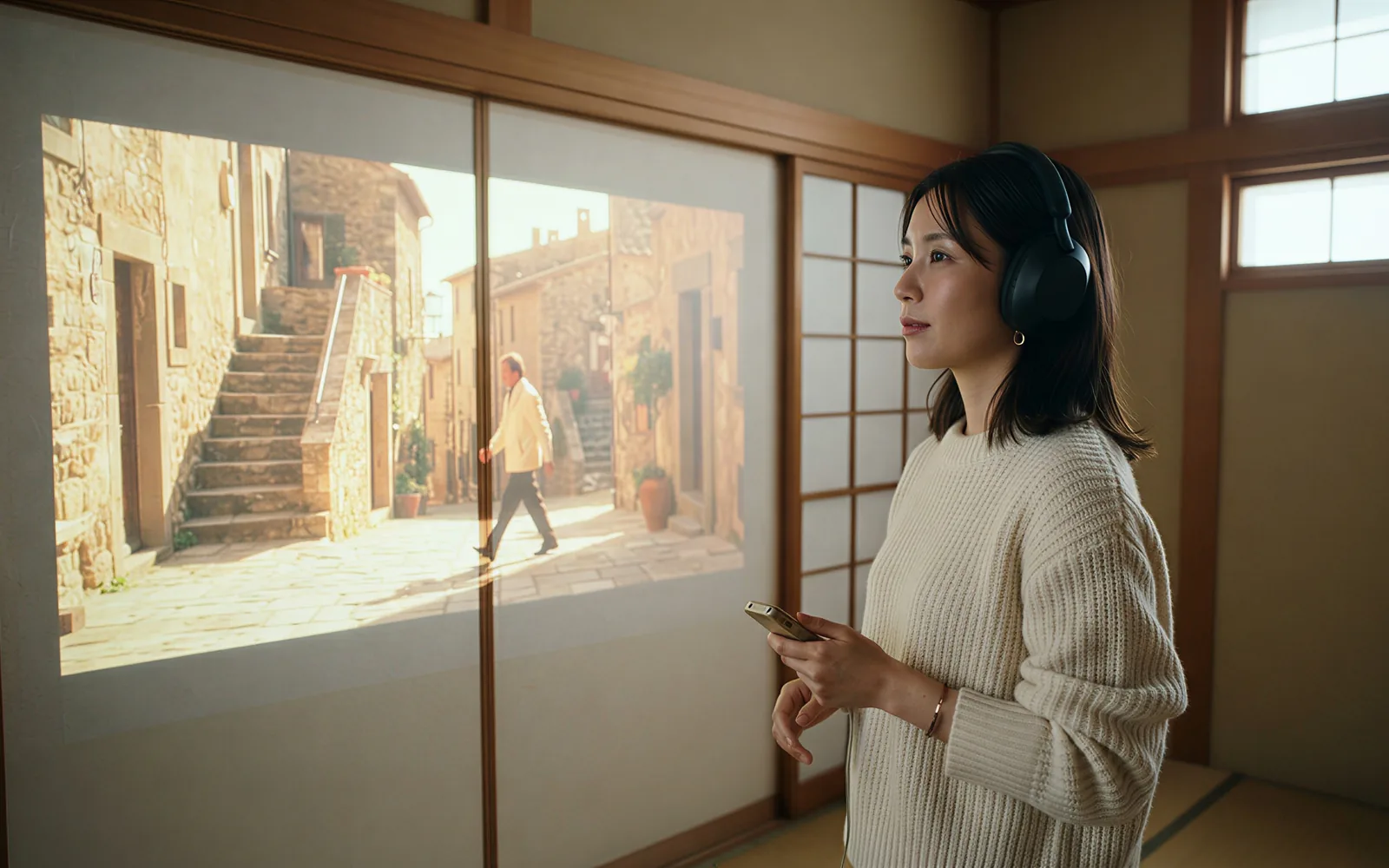
Set a length you can actually buy
CamArt duration chips are 3 to 15 seconds. Default is 5 seconds. T2V and I2V playground cards currently list 5 or 10 seconds. Omni follows the 3 to 15 second R2V card.
- Pick 5 seconds to draft, then step up toward 15 seconds when the take holds.
- Do not treat kling26.net 2-minute claims as a CamArt length.

See credits on Generate before you spend
CamArt bills 1 credit as $0.01 COGS. Kling O3 Pro is 11.2 credits per second. A 5 second job is 56 credits. The button shows the charge before you start.
- Starter credits cover low-cost models, not every 5 second O3 Pro job.
- Do not paste third-party list prices as CamArt checkout.

How to Use Kling O3 Pro AI Video Generator in CamArt
Three steps from an Omni or start-end brief to a saved clip.
-
STEP 01
Write the beat
Keep Kling O3 Pro selected. Write the action, camera, and sound. Add Omni stills or a start frame and an optional end frame when you need them.
-
STEP 02
Attach Omni refs and set length
Add Omni stills (up to 7, or 4 plus one clip) or Start-End frames. Set duration (3 to 15 seconds) and 16:9, 9:16, or 1:1. Name Figure 1 in the prompt.
-
STEP 03
Generate, preview, and save
Hit Generate. Credits on the button deduct on start (11.2 per second). Preview picture and sound, then save from Assets. Video Edit lives under Video Editor, not this form.
Who Should Use Kling O3 Pro on CamArt
Kling O3 Pro fits briefs that need Omni identity lock, optional native sound, and a 3 to 15 second clip. Use Kling 3.0 when you need Standard, Pro, or 4K without Omni.
-
Brand and performance marketers
Omni stills plus optional native sound can hold a product face across a 5 to 15 second beat without a second audio pass.
-
Filmmakers and previs teams
Lock start and end frames, or attach a motion clip in Omni when the character has to stay the same person.
-
UGC and social editors
9:16 on CamArt T2V plus optional sound fits talking-head and lifestyle briefs at 1080p-class.
-
Product explainers
Figure 1 stills keep pack shots on-model. Start-End stills pin the open and the close.
-
Agencies pitching campaigns
Credits show on Generate, so a 5 second draft at 56 credits is priced before you spend.
-
Education teams
Prompt plus Omni refs can walk a short lesson. CamArt does not expose O3 Standard Video Edit on this Generate form.
Explore More AI Video Models on CamArt
FAQs
How is Kling O3 Pro different from Kling 3.0?
Kling 3.0 on CamArt is text-to-video and image-to-video with start-end frames and optional sound, plus Standard, Pro, and 4K SKUs. Kling O3 Pro is the Omni SKU: it also takes reference stills and one optional motion clip (Figure 1). CamArt 3.0 Generate does not expose Omni.
How long can Kling O3 Pro videos be?
Reference-to-video and the O3 Pro launch blog use 3 to 15 seconds. The text-to-video and image-to-video playground cards currently list 5 or 10 seconds. CamArt duration chips are 3 to 15 seconds. Default is 5 seconds.
Does Kling O3 Pro generate native audio?
Yes. Kling O3 Pro can write synchronized sound with the picture. On Omni, if you attach a reference video, CamArt keeps that clip's soundtrack instead of generating a new bed. Sound is optional. CamArt credits are quoted per second without a separate sound surcharge today.
Can Kling O3 Pro use reference images and a video?
Yes. Omni Reference takes up to 7 stills, or up to 4 stills plus one motion clip. Mention stills as Figure 1, Figure 2. CamArt does not collect Kling Elements IDs.
Can Kling O3 Pro lock start and end frames?
Yes. Image-to-video takes a required start still and an optional end still. On CamArt, pick Start-End Frame and upload both.
Is Kling O3 Pro 4K on CamArt?
Artlist markets Kling O3 at 4K. Issuer docs describe O3 Pro as 1080p-class versus Standard 720p, and the Pro cards have no resolution picker. CamArt does not ship a dedicated Kling O3 Pro 4K SKU. Do not treat the catalog overlay as native 4K.
How is O3 Pro different from O3 Standard?
O3 Standard is the cheaper, faster sibling. Fal's listing for this query is Standard image-to-video. CamArt Generate on this page is Kling O3 Pro. O3 Standard video-edit lives on CamArt Video Editor, not as this page's default.
Is Kling O3 Pro free on CamArt?
CamArt is not an unlimited free Kling host. New accounts get 20 starter credits for low-cost models. Kling O3 Pro charges the credits shown on Generate (56 credits for a 5 second job at 11.2 credits per second). After that, use a subscription or credit pack.
Does this page run Kling O3 Video Edit?
Video-to-video restyle, relight, and edit are separate O3 Standard editor endpoints. On CamArt they live under Video Editor, not this Generate form. This page runs Kling O3 Pro text-to-video, image-to-video, and Omni.
How do I generate a Kling O3 Pro clip on CamArt?
Keep Kling O3 Pro selected, write the prompt, add Omni or Start-End refs if you need them, set duration and ratio, then Generate. Sign in with Google or an email magic link if asked. Credits shown on the button deduct on start. Commercial use follows CamArt terms and third-party model terms.
Generate a Kling O3 Pro clip with Omni refs
Describe the beat or upload Omni stills and one optional motion clip. Note Figure 1, optional sound, and start-end, then hit Generate.